uefi检测不到u盘怎么办
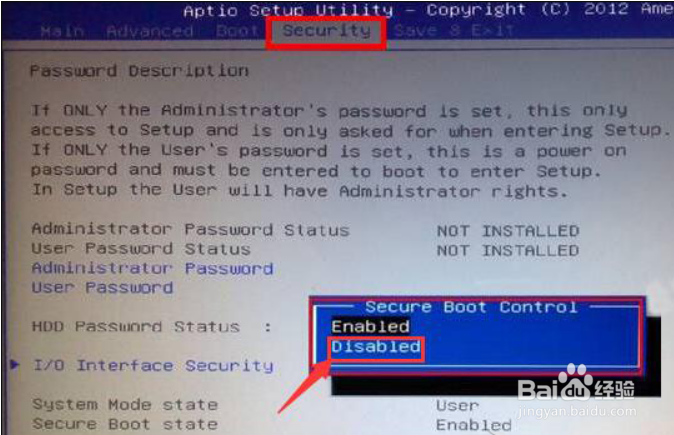
1、进入BIOS界面后找到Security选项,选择Secure Boot Control把它设置为Disabled
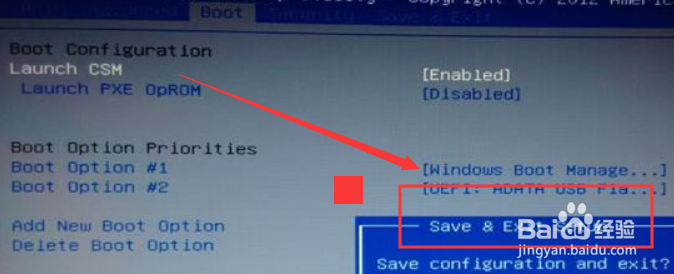
2、把光标移动到UEFI BIOS菜单选项Boot菜单下,选择Launch CSM选项并设置成Enabled

3、最后按F10保存,弹出的Save & Exit Setup窗口中,选择YES回车即可。
1、【1】Secure Boot Control把它设置为Disabled
【2】Launch CSM选项并设置成Enabled
【3】F10保存
阅读量:164
阅读量:176
阅读量:152
阅读量:79
阅读量:33