Windows11如何打开暗黑主题模式?
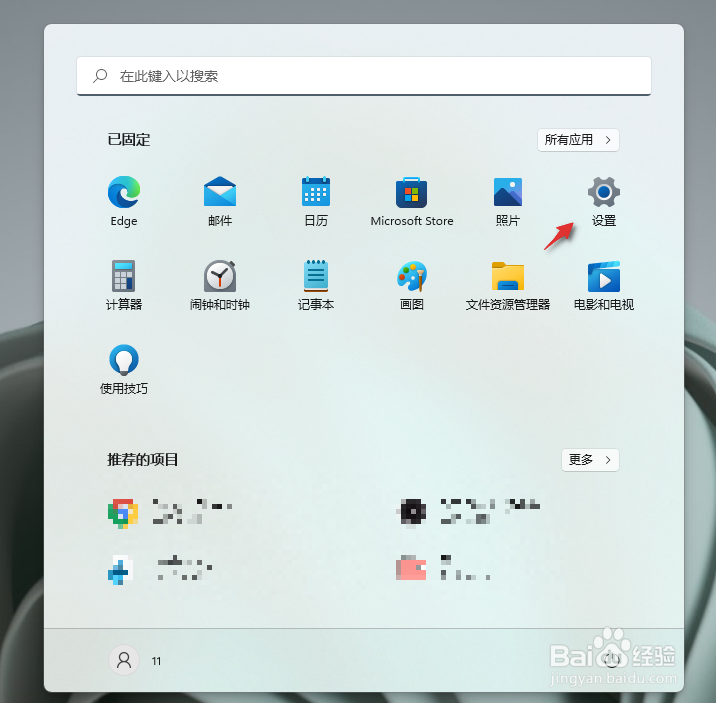
1、按一下,键盘上的Windows键,然后点击设置图标。
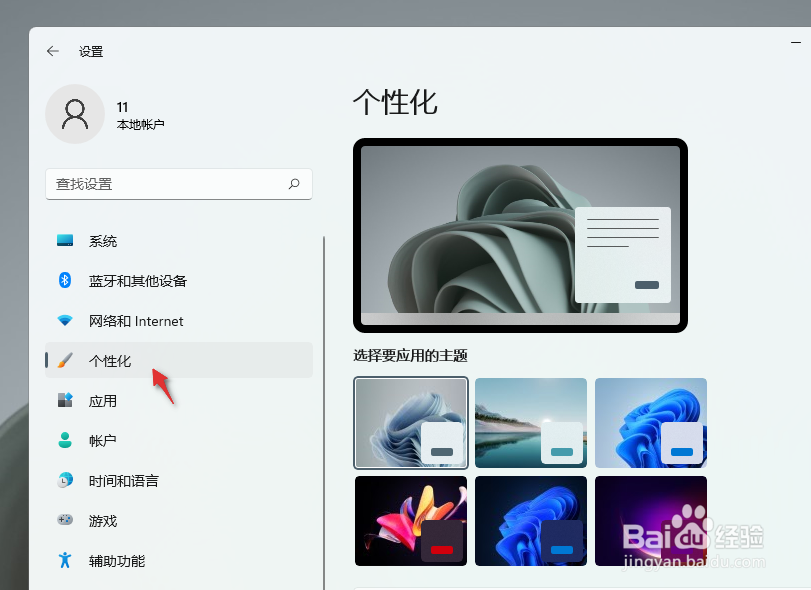
2、在设置界面点击个性化。
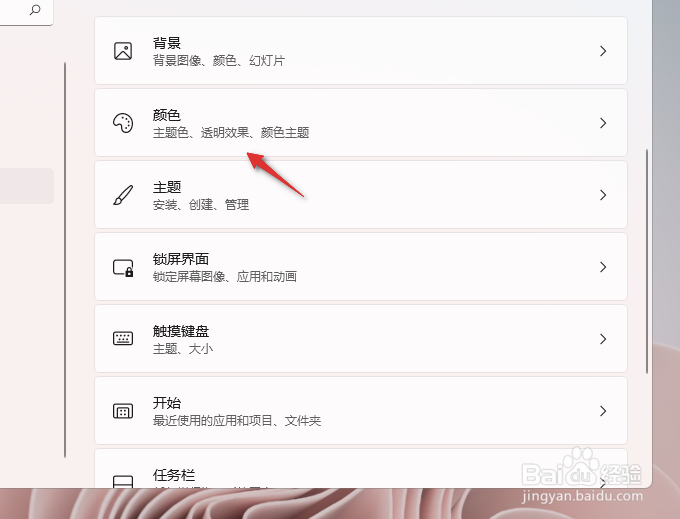
3、在个性化面板,点击颜色如图。
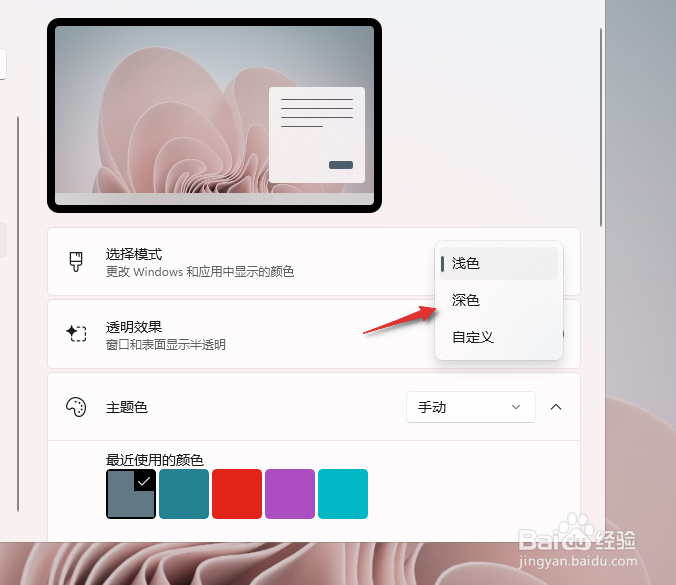
4、选择模式下拉菜单,选择深色。
5、稍等片刻,Windows主题就变为黑色啦。

阅读量:140
阅读量:115
阅读量:55
阅读量:86
阅读量:105
1、按一下,键盘上的Windows键,然后点击设置图标。
2、在设置界面点击个性化。
3、在个性化面板,点击颜色如图。
4、选择模式下拉菜单,选择深色。
5、稍等片刻,Windows主题就变为黑色啦。