如何卸载 Windows10 上的lnternet Explorer 11
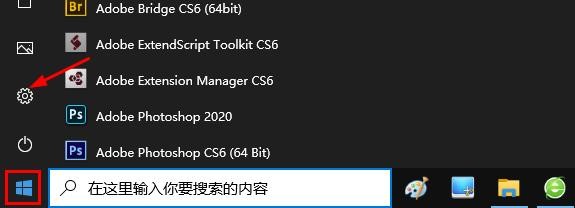
1、首先,让我们从"开始"菜单打开设置。
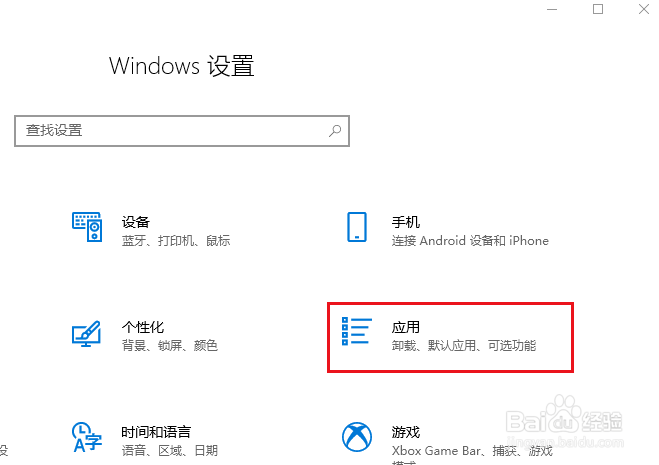
2、从 Windows 设置中选择应用。
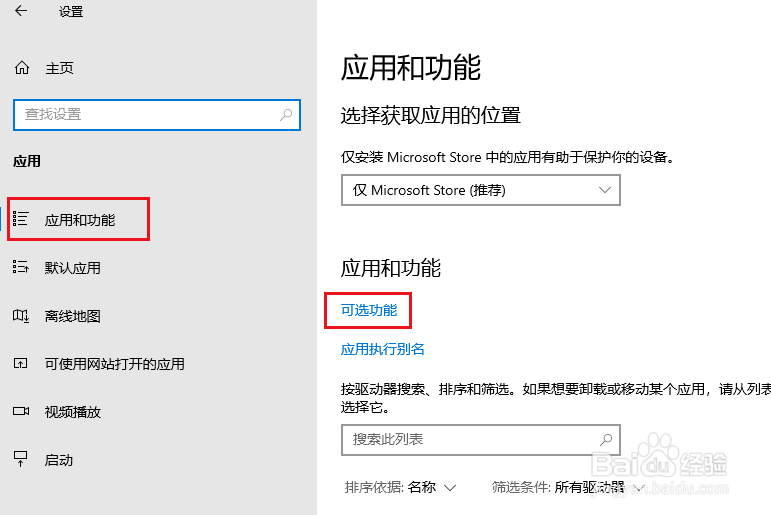
3、打开左侧菜单中的应用和功能,然后打开"可选功能"。
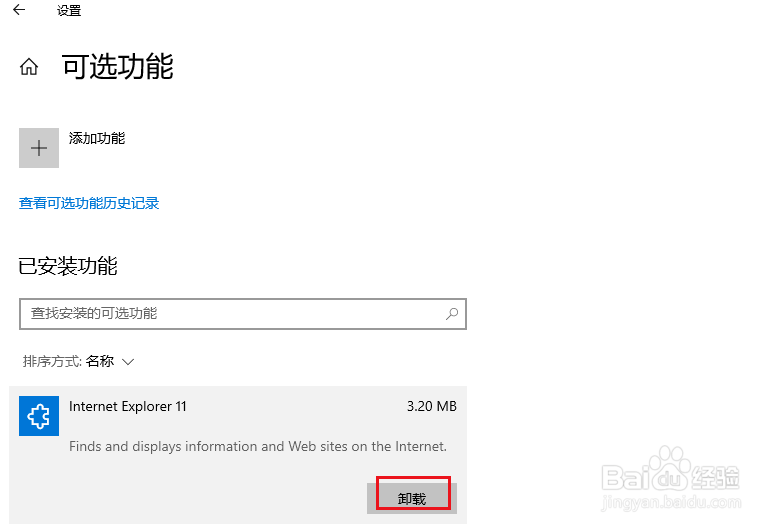
4、lnternet Explorer 11 后,将显示卸载按钮。 按此按钮将自动开始卸载。
您必须重新启动才能完成卸载。
阅读量:27
阅读量:69
阅读量:153
阅读量:188
阅读量:177
1、首先,让我们从"开始"菜单打开设置。
2、从 Windows 设置中选择应用。
3、打开左侧菜单中的应用和功能,然后打开"可选功能"。
4、lnternet Explorer 11 后,将显示卸载按钮。 按此按钮将自动开始卸载。
您必须重新启动才能完成卸载。